

Using Posterous as a class photo archive

I have been playing 5-Picture Charades with my classes for many years. I first came up with the idea (though I'm sure I wasn't the first person to do so) back in the mid-'90's when I was teaching elementary school. I would have my students pick an excerpt from whatever book we happened to be reading, and they would have to act out that scene in 5 pictures. They would then share the images with the class to see if anyone could guess the scene. As you can imagine, the activity was a lot of fun and the students loved it.

In addition to this activity being fun, I also noticed that there was a lot of higher-order thinking going on. Students were having to synthesize passages, evaluate which scenes most accurately characterized their passage, narrow them down to 5 images, decide how to physically portray those 5 essential scenes and ultimately create them. One reason the students loved this activity was because it was challenging, but the kind of challenging that is so much fun you don't realize how much work it actually is.

When I started teaching technology integration courses, I used this activity to teach my students how to capture, edit and publish digital images. I found that they were much more motivated to engage in these  skill-development activities when they were using their own images that they just had a ball creating. I typically gave them fairy tales to act out, but occasionally I would just give them some boundaries (e.g., U.S. History, Literary characters, etc.) and let them pick their own topic. The former category is much easier, but the latter produces much more entertaining image sets. We then use the images to practice image editing, digital storytelling and uploading (which, thanks to Facebook, most of them are already pretty good at).

The only sticky part to this activity every semester was sharing the images with the rest of the class. I tried having them save all of the images to the instructor computer, but it took forever and people ended up sitting around waiting for others to finish. I also tried having the students e-mail the images to me, but that also took forever and sometimes the images were too big to attach (this was before Gmail had such massive attachment allowances). So, it was always tricky getting everyone's images into one place where we could view them.

Well, last semester I got tipped off to Posterous by Wes Fryer, and I decided to use it today for this activity. I created a class account and had the students follow these instructions as soon as they came in from taking their pictures:

  1. Transfer the images from your camera to the computer.
  2. Go to http://posterous.com
  3. Log in using the following credentials
    • E-mail:
    • Password:
  4. Click on the button that says "Post by web"
  5. Click in the Title field and name it based on your group and section (e.g., Section 001, Group 1)
  6. On the right side of the screen, choose "Upload images, audio, video and docs"
  7. Choose all of your photos at once. You do this by holding down the CTRL key as you click on each photo. Once all 5 images are selected, click Open.
  8. After the photos have uploaded, click Publish.
  9. Have each person in the group save all 5 images to their flash drive
  10. Delete the images from the camera.
  11. Put the camera and all its parts back in the box and return it to me.

I am telling you, I have done this activity many times, and it has never gone as smoothly as it did today. The students came in and got right to work uploading their images to our class Posterous site, and within minutes we were laughing and blurting out trying to guess each group's fairy tale. There was essentially no waiting around or wondering what happened to some of the images. It is almost as if the gallery method of displaying images in Posterous was created just for this activity, and an added bonus is that I now have access to each of these images without having to go around to each computer and copy them to my flash drive.

I definitely recommend Posterous as a place to have students upload images. Flickr groups or Picasa albums are also good, but this is by far the easiest method I have ever used for this purpose.
Learning Management Systems: Hub or Silo?

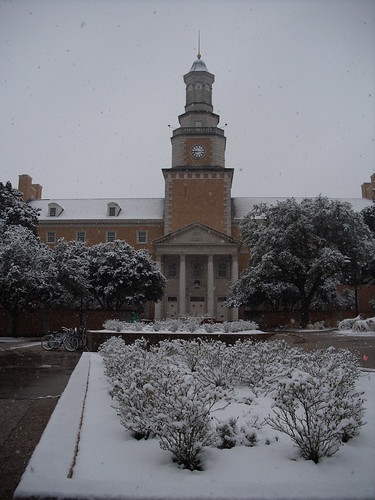
North Texas has literally been shut down for the past 3 days, with a 4th day impending. We had an arctic front blow in on Monday night, leaving a sheet of ice and snow, and sub-freezing temperatures to keep it intact. Every college, school district, private school and many businesses have been closed since Tuesday.

For the first day of this freeze I was feeling smug because I had already planned an online class for both of my sections of "Computers in the Classroom," at UNT. I had most of the materials ready to go, so it was looking like I would just need to make them available to my class and spend the rest of the day hanging out with my family. I released the materials late Tuesday night, and I didn't think about it again until Wednesday when a student e-mailed to say she couldn't access Moodle. I went to Moodle, and she was right. Nothing.

In addition to cold weather, North Texas was experiencing power shortages caused by over-burdened power plants. In response to this shortage, the state implemented rolling blackouts. We lost power 3 different times on Wednesday for about 20 minutes each, which was only a slight inconvenience. These same rolling blackouts also cut power to Discovery Park, where the Moodle servers are housed. The servers went down, and as of this writing no one has booted them back up. This experience added another chapter to my love/hate relationship (mostly love) with LMS software.

I have been using Learning Management Systems (LMS) since 2005 to help me teach my courses, most of which have been face-to-face. Over the years I have had mostly good experiences, some bad experiences and many teachable moments. I have use Moodle, WebCT, Blackboard, Toolkit (homegrown at UVa), Collab (built at UVa on the Sakai platform) and eCollege. Each of these packages has its own affordances and constraints, and I haven't found any of them to be completely idiot proof. What I have learned is that LMS, no matter which one you are using, make a great hub but a lousy silo.

Silo: a self-contained, secure, private space in which only those with credentials may enter. As in, missle silo.

Hub: a central place that brings together many different pieces from several different places.

People who use LMS as a silo upload everything and post all of their content to the LMS. If they teach more than once section of the same course, they do all of this twice. If a document needs to be updated, they take it down from both sections and upload the updated document. Twice. You get the picture.

People who use LMS as a hub, as I do, keep the content from their course in a place other than the LMS. Rather than uploading files and adding content directly to the LMS, the content is all linked to third-party tools. Here is what this looks like for me: 1) all course documents are in Google Docs and linked to the LMS, 2) all course materials (PDFs, videos, etc.) are hosted on Google Docs or YouTube and linked, and 3) my lesson plans for each class meeting are in Google Sites and linked.

This may not seem like a big deal until your servers go down and you have 48 students trying to access Moodle at once. For me, it meant the difference between postponing class and having each student finish the activities in the allotted time. I was able to send the students the links to the docs and lesson plan, and not one student missed a beat.

This does not mean LMS don't have their place. They are essential for posting grades and giving feedback to students. They are excellent for facilitating discussions within the class. They are also a great hub for content so that students only have to look in one place for course materials. In my experience, they don't even know I am linking to everything from a third-party host.

Other advantages to using third-party tools are:

  1. When I want to update a document for multiple sections, I only have to make the changes in Google Docs and they automatically show up wherever the document is linked.
  2. If I want to reuse materials for another class, I know where to find them. No searching archived courses to find rubrics, lesson plans or assignments. I just update the materials and link them to the current course.
  3. I have access to my course materials if the servers go down, and I can easily send them to my students if necessary.

This has been quite the learning experience, and I am glad I came out of it on the positive side. What tricks and tips do you have for using LMS in your teaching?

Students and informal learning

I had the opportunity a couple of years ago to contribute to an ISTE book, Teaching with Digital Video, an effort put together by Glen Bull and Lynn Bell. One of the chapters I helped write discussed student-created video in informal learning environments. The premise of this chapter is that rich, deep learning can (and do) take place in settings other than school and without a teacher's direction. I was able to provide a few examples of such learning in the chapter.

Along these lines, I have been working with a News Media club at a private K-8 school, and one of the things the students wanted to learn was how to edit video and use a green screen. The school just happened to have recently invested in a green screen and video editing software, so the conditions were perfect for trying out the new equipment.

Because this is a club, rather than a core class, combined with the fact that the students are all new to video editing, I decided to start with something small and simple, which in this case was Charades. I told the students which scenario to act out, and we filmed them performing in front of the green screen. After each student had a chance to participate (twice!), we went to the computer lab and did some simple editing. You can click on the link below to see the result of our efforts, a simple 1-minute video:

The thing that excites me about this experience is not the technology, but the students' response to the activity. I had students stopping me in the hall later that day asking me when we were going to use the green screen again. I could tell their ideas and creativity were flowing. Green screen is cool, but students who are excited about being creative and taking ownership of their own learning is even cooler.

Digital identity

The first time I thought about managing my identity as a teacher was during my junior year in my teacher education program. The final project for my language arts methods class was a professional portfolio that included: a narrative about myself and my philosophy of teaching, my philosophy of classroom management (which was so ridiculous I am ashamed that I actually put it in print and let others look at it) and examples of exemplary lessons and other projects I created for my teacher ed. classes. I remember putting a lot of time and thought into this project because I knew it could potentially be something really cool/impressive to show during a job interview. At the time, my portfolio was quite the technological wonder. Yes, the deliverable was still a printed document (a book printed and bound at Kinko's), but I designed the entire thing on my Mac LC 520 computer. This was a stark contrast to how my classmates completed the project, which included a mix of word-processed and photocopied pages thrown together in a three-ring binder. I used a scanner and Clarisworks to make the entire portfolio have a consistent design throughout. At the time, it was quite impressive, and I think I still have a copy somewhere in a box in my parent's basement.

With all of the digital tools available now (17 years after I crafted my first portfolio!), there is no reason that preservice teachers shouldn't be able to put together a killer digital portfolio. While many of the principles for presenting a portfolio haven't changed that much, if at all, in 17 years, the tools we have access to for making one are lightyears beyond my little all-in-one Mac.

I entered the world of digital portfolios when I was teaching the class "Teaching with Technology" at the University of Virginia. I had my students create a digital portfolio using HTML, and they hosted it on their Home Directory. The project started off very clunky and frustrating and eventually became one that the students all loved and commented that they felt most satisfied with. I eventually abandoned NVU and Home Directory for Google Pages (now Google Sites), and the quality of the projects increased exponentially (not to mention the number of e-mails from frustrated students almost vanished). Looking back, the major drawbacks of this portfolio were that it focused on the projects only from my class and most of the students viewed it as an "assignment" rather than a tool that would continually evolve and could ultimately become an archive of their teaching careers.

My journey into the world of digital portfolios continued when I taught at the University of Illinois Springfield. The department I was teaching in (Teacher Education) had adopted TaskStream for the teacher candidates to use for building their digital portfolios, so I had to adopt this tool as well. Overall, it was pretty easy to use and the final product looked very professional. Besides the fact that the portfolio's format was very prescribed (meaning, it helped my department meet its objectives more than it helped the students meet theirs), the main drawback with TaskStream was that it cost money (not a little money, either), almost ensuring that 99% of the teacher candidates would not use it after they graduated. Once again, I was stuck in this rut of "assigning" a digital portfolio for a "grade," which means when the grade is given the assignment is done.

So, when I was asked to teach a section of "Computers in the Classroom" at the University of North Texas, I was once again in the position of thinking about how to structure my final portfolio project. Having a little more freedom than I did at UIS and having learned some lessons from UVA, I tried to improve my portfolio project. Here is the project description from last semester (Fall 2010). As you can see, it is still pretty "my-class-centric."

But it's amazing what one little blog post can do to spark some new ideas. I taught concurrently with Wes Fryer last semester, and we were constantly bouncing ideas off each other. He addressed digital portfolios in one of his posts, which helped me develop my latest iteration of my digital portfolio project.  Here is my latest project description, which I am pretty happy with at this point. I'm sure once my students get their hands on it I will see some areas that need clarification or revision. The obvious weakness of the current version is my rubric (which really isn't a rubric), which I will definitely be revising.

So, do you give a final portfolio assignment? How structured/open is it? What elements do you have students include that I have overlooked?

Complicated teaching practices in a complex world

A few weeks ago I wrote about Malcolm Gladwell's distinction between "puzzles" and "mysteries," and the implications of this difference for teaching and learning. I didn't know until recently that someone else, Larry Ferlazzo, blogged about the very same concept, though with a slightly different application. He recently referenced this post in a newer post, where he discusses the difference between "complicated" and "complex," which was based on an article by Larry Cuban. In a nutshell, he describes the difference in the following way:

A complicated system assumes expert and rational leaders, top-down planning, smooth implementation of policies, and a clock-like organization that runs smoothly. Work is specified and delegated to particular units.

and

Complex systems like criminal justice, health care, and schools, however, are filled with hundreds of moving parts, scores of players of varied expertise and independence yet missing a “mission control” that runs all these different parts within an ever-changing political, economic, and societal environment.

Cuban's description of complicated and complex environments really resonated with me, and I have done some thinking on the matter. What really struck a chord with me is the relevance of this comparison to educational technology, specifically coursework and professional development on how to use technology in the classroom.

My observation about many of the teaching practices in schools these days is that they are not very complicated. In fact, after a full semester of observing several student teachers concurrently last year, I would say that much of what goes in classrooms is fairly routine (which, according to Merriam-Webster, is: habitual or mechanical performance of an established procedure).  This statement applies to the cooperating instructors as much as it does to the teacher candidates. Why is this? Are teachers lazy? Do they have priorities other than teaching? Are they burned out? Actually, no. The overwhelming majority of teachers I have met and worked with love their students, love their school, love their co-workers and are passionate about the profession.  Yet many of them show up everyday and do the same tick-tock of learning activities with their students, week in and week out.

I think one explanation for why teachers approach their instruction this way is that schools, and classrooms in particular, are complex environments. Teachers have to be sensitive to and balance differences in student ability, behavior, background and home influences, and motivation/engagement. Add to this a very top-down system of curriculum, mandates, expectations and accountability, and it's not too hard to understand why young teachers choose to take a different career path after a few years. Classrooms are complex, with many moving parts, each of which influence each other. I think many teachers choose to simplify their teaching because it's one thing they can do to maintain their sanity and have a life outside of work. Sure, there are those who have made work their life. This was definitely the case for me as an early career teacher with no wife or children and, honestly, not much else to do.

One mantra you will hear from technology apologists like myself is that if you ever decide to use technology in your instruction, make sure you have a Plan B. I rarely had a Plan B, and thankfully I had very few experiences when the technology failed me. But this is what gets taught. If you want to teach with technology, have a backup plan. So, does this mean teachers should plan two lessons? I guess it could, which means you have already lost half of your teachers because they barely have time to plan one lesson. If a teacher really knows the lesson inside-out, he or she should be able to make something out of it should the technology fail completely (laptops aren't charged, Wi-F isn't working, servers crash, etc.). But many teachers are turned off by the mere possibility that something could go wrong, leaving them stranded in front of the class with absolutely no clue for how to resolve the issue. When you think about it, whether you are a geek or a total luddite, teaching with technology is complicated. Technology is complicated for most people. It involves steps and protocols, knowledge of different interfaces and nuances that vary between programs, and to some people they feel as if they are learning a new language. It's complicated ... and intimidating ... and something they are very reluctant to try. Human nature leads us toward a desire for mastery, so why would someone introduce a complicated factor into an already complex environment and risk feeling stupid?

I don't have an answer to that question. I do, however, think that it's important to give inservice and preservice teachers the opportunity to plan, implement and evaluate complicated technology-rich lessons in a complex environment. Most of the projects I have had my preservice teachers do over the years have been done in a pretty sterile environment. The focus has been more on getting the project done on time rather than designing something that students will ultimately learn from. Tech-based internships or field experiences are a way to address this problem, but I know from experience how time and labor intensive they can be. And we are at a time when some teacher education programs are looking to reduce course loads, not add to them. Everyone already thinks their secret ingredient should be added to the special sauce of field experiences, and at some point they may cease to be useful to the preservice teachers get too distracted from the practice of planning and delivering instruction, and assessing student learning.

This post, for me, has generated a lot of questions that I hope to grapple with and address in the coming weeks. Thoughts? I would love to hear what you have to say.

It's the pedagogy, teacher.

This was a phrase that got tossed into our conversations from time to time in grad school. It's a silly play on the famous phrase from the 1992 Presidential election. When you spend the majority of your time talking and working with other Instructional Technology doc students, it's easy to get sucked into the technology black hole of creating and tweaking new technology tools for teachers and students. There is definitely a time and place for new innovations, but sometimes the most appropriate solution to an educational problem lies in an innovative use of an existing tool. Almost every one of our conversations came down to this point: It's not the tool so much as what you (the teacher and/or students) do with the tool. Along these lines, the concept of repurposing resonates with me. Anyway, I read a post today by Dan Meyer that reminded me once again that technology is really only as good as the teacher who is using it. I won't recap the entire post, but the conversation just goes to show that a teacher can find ways to make a very long video of water being poured into a tank engaging to the students. This also reminds me of the Clark and Kozma debate, though the conversation highlighted on Meyer's blog is much less about the technology and more about how teachers use media and their students' responses to it.

The take-away message for me? Don't underestimate the art of creative and innovative teaching.

Puzzle or Mystery

I have been reading What the Dog Saw by Malcolm Gladwell, a collection of essays he wrote for The New Yorker. In one of the essays he discusses the downfall of Enron, using the metaphors of Puzzles and Mysteries (originally coined by Gregory Treverton)  to compare how different people (financial analysts, prosecuting attorneys, undergraduate students, etc.) described the circumstances that led to one of the largest U.S. companies to declare bankruptcy and thousands of people to lose millions of dollars in investments. According to Gladwell, a puzzle is sender-dependent. That is, someone has a missing piece of information that, when shared with others, makes all the other pieces fall into place. He uses the whereabouts of Osama Bin Laden as an example. Bin Laden is out there somewhere, and there are people who know where he is. When (or if) one of those people gives a clue as to where he is hiding (if in fact he stays in one place for any length of time) it will greatly facilitate the task of locating him. Mysteries, on the other hand, are receiver-dependent. While puzzles are defined as having too little information, mysteries have too much information and it is up to the person to filter, categorize and organize that information into a framework that can be understood. He cites the propaganda surrounding the German's development of the V-1 "Buzz Bomb," as a mystery because the Germans were giving an enormous amount of clues about the V-1 project through their propaganda as a way to maintain the country's morale. It was up to a group of experts who knew how to decode such messages to determine if (a) the bomb was even real or not, and (b) how urgent it was to find it. In this case, there was a lot of information about this weapon being sent out over the airwaves, but the common listener was not able to make sense out of it. Along these lines, Gladwell's evaluation of the events that led to the Enron collapse is that they were a mystery, rather than a puzzle. The prosecutors argued that Jeffrey Skilling was withholding vital information from shareholders in order to make them think the company was making more money than it really was. In fact, what Skilling and his accountants did was create vast amounts of convoluted information through thousands of extremely complex investing schemes, each of which were legal (though not very ethical or wise) and openly available to anyone who wanted to read them (if in fact one finds reading thousands of pages of legal jargon fun). The issue was not that Enron withheld data; the problem was in the fact that there was so much data that no one could make sense of.

As I wrapped up my class on teaching, learning and assessment, these metaphors came to mind again. Is teaching and learning a puzzle or a mystery? Are the solutions to the problems in education (lack of student engagement, lack of a "thinking curriculum," performance gaps between different groups of students, just to name a few) still out there somewhere in Plato's "world of Forms" waiting to be discovered? Has the right genius not yet entered his or her doctoral program (ask a first-year doc student what he or she hopes to accomplish in grad school and you will see my humor in this)? Has the right technology or reading/math series or game or teaching strategy or professional development just not been invented yet? Or is it that teaching and learning is not a puzzle at all? Perhaps teaching and learning, collectively, is a mystery. The human condition is so complex, filled with competing relationships, environments, conflicting messages, emotions, struggles, beliefs, values, attitudes, desires and needs. If each of these factors interact with each other and lead to self-identity, isn't it safe to assume that these same factors will influence what my students and I bring to the learning table and what takes place between us? My message to my students was this: You have learned some skills that will help you teach, but don't underestimate the importance of your ability to make sense out of your teaching environment. I threw around terms like "scaffolding," "differentiation," "formative and summative assessment," "student engagement," and "student- and teacher-centered instruction," but I couldn't realistically expect each person to leave my class able to do those things proficiently (it was the first time most of them had ever heard those terms or attempted to operationalize them). What I hoped would happen is that defining, talking about and grappling with these concepts would make my students aware that the need for these concepts exists. In other words, I was trying to make these concepts part of the perceptual filter they will take with them into the classroom. They will develop their ability to differentiate, scaffold, etc. over time, but they must first recognize these as tools that will help them make sense out of a complex learning environment. Otherwise, they will, at best, be constantly chasing after the next great idea, and at worst, teach as they were taught as the world evolves around them. Teaching and learning is indeed a mystery, and teachers must know how to decode and work within their environment in a way that is sensitive to the students they are serving.

Drinking or Pouring

One of the panelists at the keynote on the last day of SITE made a really interesting remark. He said (in my own words), your perspective about the glass being half empty or half full depends on whether you're drinking or pouring. I don't know if he meant for this remark to be poignant, but I have really been thinking about it a lot. I guess the difference, to me, comes down between giving and receiving. If a person spends a lot of their time receiving and expecting from others, circumstances would naturally be viewed as falling short of his or her needs and expectations. I have known quite a few people like this, and honestly, I have been this person on many occasions. When your focus is on what you are (or aren't) getting, there will always be something missing.

On the other hand, people who spend more of their time, talents and energy giving tend to see the world in terms of what they can give and be for others. It makes sense that this sort of person would not spend a whole of time thinking about what he or she is not getting.

It seems the common view is that perspective is the starting place. A person has his or her worldview, and they act based on that perspective. But I'm starting to think that actions, whether focused on helping others or yourself, influence perspective, and this makes the daunting task of improving a pretty self-centered worldview not so impossible. A very wise person once said, "If your first concern is to look after yourself, you'll never find yourself. But if you forget about yourself and look to me, you'll find both yourself and me." I'm glad to have been reminded of that in the most unlikely of places.

TPACK Traction

I am listening to a presentation about assessing the TPACK (Technological Pedagogical and Content Knowledge) of teachers and faculty. As much as I have read about TPACK, I must confess I am still getting my head around it. Both in terms of research and implementation. Each of these presentations has been very helpful for me in gaining traction in this understanding. I have also been challenged to reflect on my own teaching and TPACK.

The more I think about TPACK, I compare it to tightening the lug nuts on a tire: the more you tighten one lug nut, it will create slack in the others. If you want to really tighten all of the lug nuts, you need to tighten each of them a little at a time. You rotate between the lug nuts until all of them are tight. The same is true of TPACK. It's hard to develop all three knowledge domains at once. As a teacher, you might work on one of the knowledge domains, wrestle with it, implement something related to that knowledge domain, reflect on it and then look at it in terms of the other knowledge domains. For example, the more I learn about a content area, the more I will think about teaching strategies to transform that content into learning experiences, and the more I will think about tools to use as part of the instruction, which will make me revisit instructional strategies, which might make me see the content in new ways and consider new ways of representing it.

Just some random thoughts, but something I probably wouldn't have thought about were I not sitting in these conference presentations. Go SITE!

Technology and Priorities

I am at the SITE conference in San Diego, and after 1.5 days of presentations I have heard one theme emerge above all others. This theme can be reduced to one question, "Why do students, who use technology in almost every aspect of their lives, seem so clueless when it comes to using it in their teaching and learning?" You may have seen versions of this conversation framed in other ways: digital natives vs. digital immigrants, 21st Century learning, Content-creators, Millennial Students, etc. The assumption on the part of teacher educators is that students who love technology in certain areas of their lives should love it in their learning and teaching. I would like to suggest a radical idea: teens and college students don't love technology. They love what they can do with technology, which is to address their priorities and motivations. Take technology out of the picture, and this is what I know about college students:

  • They like to have fun
  • They are more likely to listen to their friends than their parents or professors
  • They like to be entertained
  • They are confronted with a lot of information that has challenged their worldview, and they are trying to make sense of it all
  • They view their classes as something they have to do to a) stay in college and be with their friends and b) graduate and move on to the next phase of their lives

So, why do students know so much about certain technologies yet know so little about other types of technology (e.g., educational/learning technology)? The technologies they know and use help them address their priorities, and as sad as it may seem, being a life-long learner is not a priority for them at this stage in their lives.

I spend a lot of time talking to teacher candidates about knowing their students and meeting where they are in their skills, abilities and prior knowledge. As a teacher educator, I must do the same with my students. I need to understand their priorities and motivations, and meet them where they are.